
Best Low-Code Platforms for .NET & ABP Framework
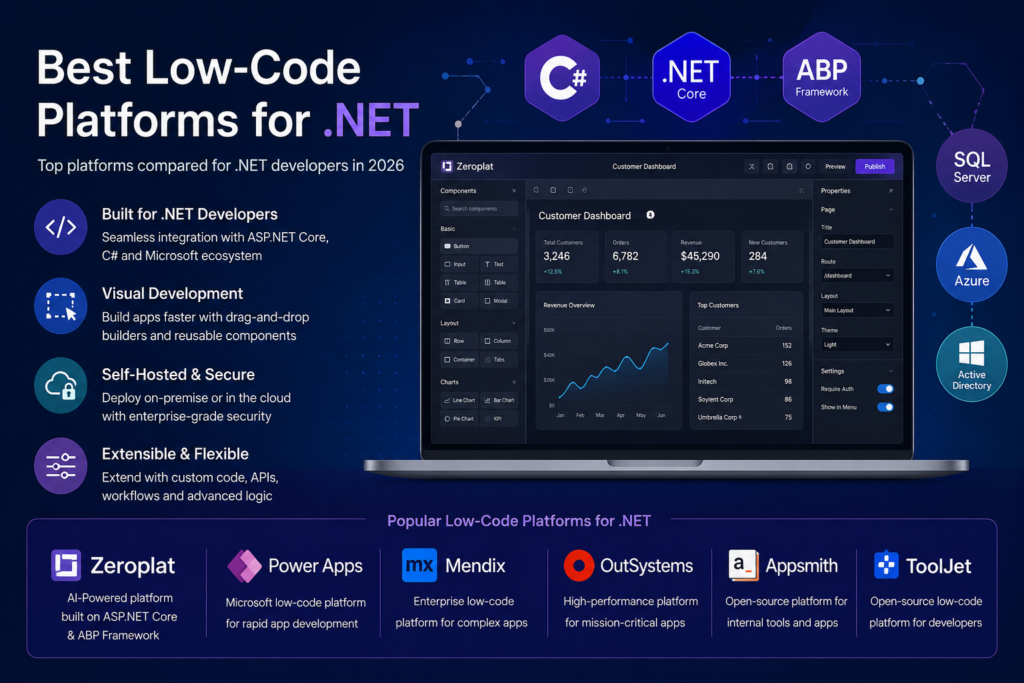
Modern software teams are under constant pressure to deliver business applications faster without sacrificing quality, flexibility, or security. Traditional development offers complete control but often requires significant time and resources, while many low-code platforms prioritize speed at the expense of customization and source code ownership.
For organizations building on Microsoft technologies, choosing the right low-code platform is especially important. Integration with ASP.NET Core, SQL Server, Active Directory, Azure, and enterprise authentication systems can significantly impact long-term success.
In this guide, we’ll explore the best low-code platforms for .NET developers in 2026, comparing their strengths, limitations, and ideal use cases.
What Is a Low-Code Platform?
A low-code platform enables developers and technical teams to build applications using visual designers, drag-and-drop interfaces, reusable components, and automation instead of writing every line of code manually.
Unlike traditional website builders, enterprise low-code platforms can generate complete business applications including:
- Data management
- Forms
- Dashboards
- Reports
- Authentication
- API integrations
- Workflow automation
- Business logic
- Role-based permissions
Modern low-code platforms are designed to accelerate development rather than replace developers. Professional developers still extend applications with custom code whenever necessary.
Why .NET Developers Need Specialized Low-Code Platforms
Many popular low-code platforms are JavaScript-first or cloud-first products. While these solutions work well for general business applications, they may not integrate naturally into existing Microsoft ecosystems.
.NET organizations typically require:
- ASP.NET Core compatibility
- SQL Server support
- Windows Authentication
- Azure integration
- Active Directory
- REST APIs
- Enterprise security
- Source code ownership
- Self-hosted deployment
- On-premise support
Choosing a platform designed with these requirements in mind can significantly reduce implementation complexity.
What to Look for in a .NET Low-Code Platform
Before selecting a platform, evaluate several important factors.
1. Visual Development Experience
A modern visual designer should make building applications intuitive without limiting customization.
Look for features such as:
- Drag-and-drop UI builder
- Responsive layouts
- Reusable components
- Theme support
- Page templates
2. Full Source Code Access
Many organizations avoid vendor lock-in by choosing platforms that provide complete source code.
Owning the source code enables teams to:
- Customize every feature
- Perform security reviews
- Extend functionality
- Maintain long-term independence
- Continue development without relying on a vendor
3. Self-Hosted Deployment
Highly regulated industries often require applications to remain inside their own infrastructure.
A good enterprise platform should support:
- On-premise deployment
- Private cloud
- Docker
- Kubernetes
- Azure
- Linux
- Windows
4. Enterprise Security
Business applications often contain sensitive company data.
Security capabilities should include:
- Role-based authorization
- OAuth
- OpenID Connect
- Active Directory
- Multi-tenancy
- Audit logging
- Permission management
5. Extensibility
No visual platform can cover every business requirement.
The ability to write custom C#, JavaScript, SQL, or integrate external APIs remains essential.
Best Low-Code Platforms for .NET
1. Zeroplat
Zeroplat is an AI-powered visual application platform built specifically around ASP.NET Core and the ABP Framework.
Instead of targeting non-technical users, Zeroplat focuses on helping professional developers build internal tools, dashboards, CRUD applications, workflows, and enterprise systems much faster.
Key Features
- Visual React page builder
- ASP.NET Core backend
- ABP Framework architecture
- AI-assisted application development
- Workflow automation
- Dashboard designer
- SQL and API integration
- Multi-tenancy
- Full source code
- Self-hosted deployment
Advantages
- Designed specifically for .NET developers
- Enterprise architecture
- Full ownership of the source code
- Highly customizable
- Modern React interface
- Supports complex business applications
- AI-powered development experience
Best For
- Enterprise applications
- Internal business tools
- Government organizations
- Manufacturing
- Financial institutions
- Healthcare systems
- Multi-tenant SaaS applications
2. Microsoft Power Apps
Power Apps remains Microsoft’s flagship low-code solution.
Its biggest strength is seamless integration with Microsoft 365, SharePoint, Dynamics 365, Azure, and the Power Platform ecosystem.
Advantages
- Excellent Microsoft ecosystem integration
- Large connector library
- Strong enterprise support
- Fast application creation
Limitations
- Licensing costs can grow quickly
- Limited source code ownership
- Less flexible for highly customized applications
Best suited for organizations already heavily invested in Microsoft 365.
3. Mendix
Mendix is one of the most mature enterprise low-code platforms available today.
It supports large organizations requiring governance, collaboration, and application lifecycle management.
Advantages
- Enterprise scalability
- Visual modeling
- Strong governance
- Cloud deployment
Limitations
- Premium pricing
- Steeper learning curve
- Limited control compared to source-code-based solutions
4. OutSystems
OutSystems focuses on enterprise digital transformation and mission-critical applications.
It provides extensive automation, DevOps support, and scalability.
Advantages
- Mature ecosystem
- Excellent enterprise tooling
- Strong performance
Limitations
- High licensing costs
- Proprietary ecosystem
- Vendor dependency
5. Appsmith
Although not a native .NET platform, Appsmith has become popular among developers building internal tools.
Applications connect easily to REST APIs and SQL databases.
Advantages
- Open source
- Quick setup
- Large community
Limitations
- JavaScript-centric
- Less integrated with enterprise .NET architecture
6. ToolJet
ToolJet provides another open-source option for creating dashboards and internal applications.
Its focus is rapid development using APIs and databases.
Advantages
- Open source
- Easy deployment
- API integrations
Limitations
- Less suitable for large enterprise architectures
- Primarily JavaScript ecosystem
Feature Comparison
| Feature | Zeroplat | Power Apps | Mendix | OutSystems | Appsmith | ToolJet |
|---|---|---|---|---|---|---|
| ASP.NET Core Focus | ✅ | Partial | Partial | Partial | ❌ | ❌ |
| Visual Builder | ✅ | ✅ | ✅ | ✅ | ✅ | ✅ |
| AI Features | ✅ | Limited | Limited | Limited | Limited | Limited |
| Full Source Code | ✅ | ❌ | ❌ | ❌ | ✅ | ✅ |
| Self Hosted | ✅ | Limited | ✅ | ✅ | ✅ | ✅ |
| Enterprise Ready | ✅ | ✅ | ✅ | ✅ | Partial | Partial |
| Multi-Tenant | ✅ | Partial | ✅ | ✅ | Limited | Limited |
| Workflow Builder | ✅ | ✅ | ✅ | ✅ | Basic | Basic |
Why Source Code Ownership Matters
Many organizations underestimate the long-term value of owning their platform.
With complete source code, companies gain:
- Independence from vendor pricing
- Unlimited customization
- Easier compliance reviews
- Long-term maintainability
- Better security transparency
For industries such as banking, healthcare, manufacturing, and government, this flexibility can become a strategic advantage.
AI Is Changing Low-Code Development
Artificial intelligence is becoming a core capability of modern development platforms.
Instead of manually configuring every screen, developers can increasingly use AI to:
- Generate pages
- Create CRUD interfaces
- Build workflows
- Connect APIs
- Generate SQL queries
- Suggest business logic
- Produce documentation
The result is faster delivery while maintaining developer control.
Choosing the Right Platform
There is no universal “best” platform.
Your choice depends on your priorities.
Choose Microsoft Power Apps if you primarily build applications inside Microsoft 365.
Choose Mendix or OutSystems if your organization already uses their enterprise ecosystem and budget is less of a concern.
Choose Appsmith or ToolJet if you’re looking for open-source internal tool builders centered around JavaScript.
Choose Zeroplat if your team develops enterprise applications with ASP.NET Core and values visual development, AI assistance, self-hosting, and full source code ownership.
Final Thoughts
Low-code development has evolved far beyond simple drag-and-drop tools. Today’s platforms empower professional developers to deliver sophisticated enterprise applications faster while preserving flexibility, scalability, and maintainability.
For .NET teams, the ideal platform should feel like a natural extension of the Microsoft ecosystem—not a separate proprietary environment.
As AI becomes an integral part of software development, platforms that combine visual design, enterprise architecture, and intelligent automation will continue to shape how modern business applications are built.
Whether you’re modernizing legacy systems, creating internal tools, or launching a new SaaS product, investing in the right low-code platform can dramatically reduce development time while improving long-term maintainability.
The best choice ultimately depends on your organization’s architecture, deployment requirements, and need for customization—but for teams committed to ASP.NET Core, selecting a platform built specifically for the .NET ecosystem will often provide the strongest foundation for future growth.